Easy Insight Logo
Call 1-(720)-316-8174

Shipping

You can pull in data from your shipping and 3PL systems and link it with your sales data in order to properly apply shipping costs to profit calculations. You can pull in shipping data from:

  • ShipStation
  • ShipTheory
  • StarshipIt

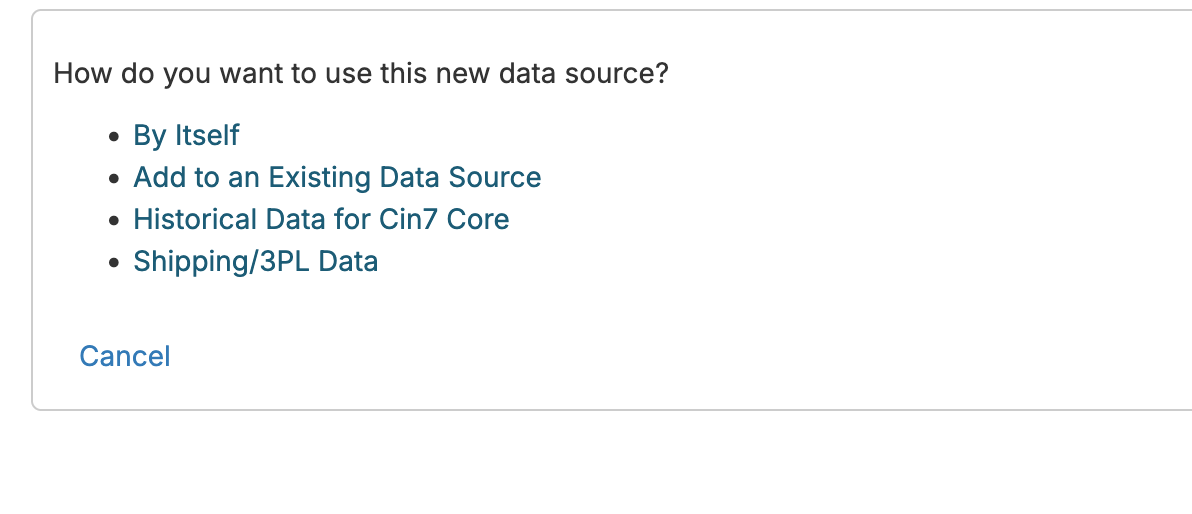
You can also pull in shipping or 3PL data by spreadsheet. For example, if you have shipping cost CSV files from UPS or Fedex or an Excel file from your 3PL, you can load those in as well. After you upload and create a new CSV/Excel connection, you'll be asked if the data is shipping/3PL data:

Shipping Cost

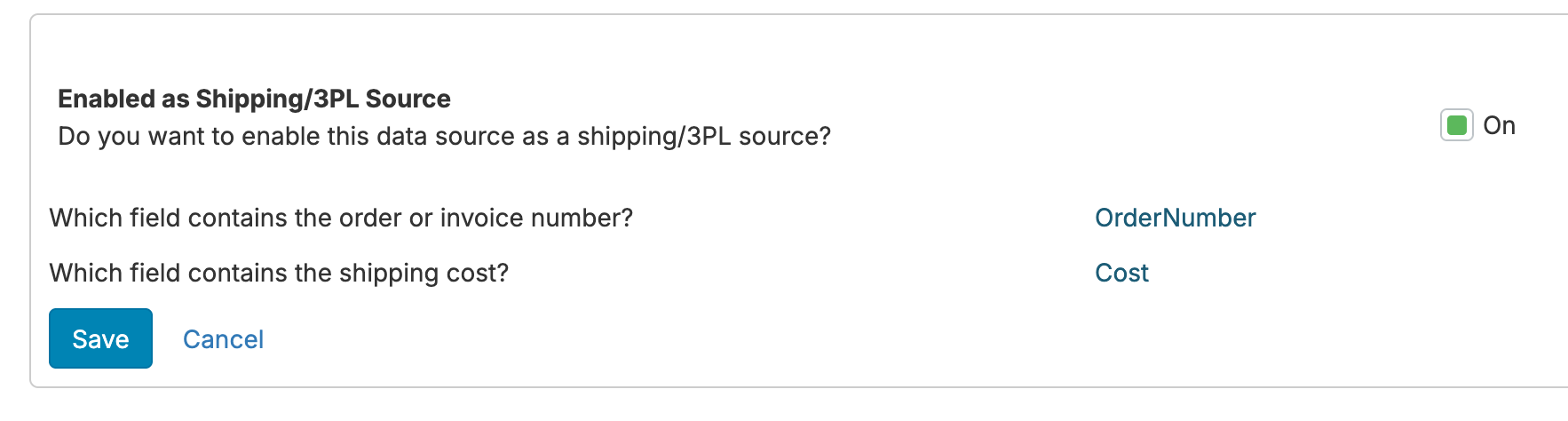
You'll need to designate the field matching to the sales data, whether it's order number, invoice number, tracking number, or something else, and you'll need to designate the shipping cost field:

Shipping Cost

You can also configure an existing Excel/CSV data source as containing shipping/3PL data through the 'Data source type specific configuration' link under Configuration.

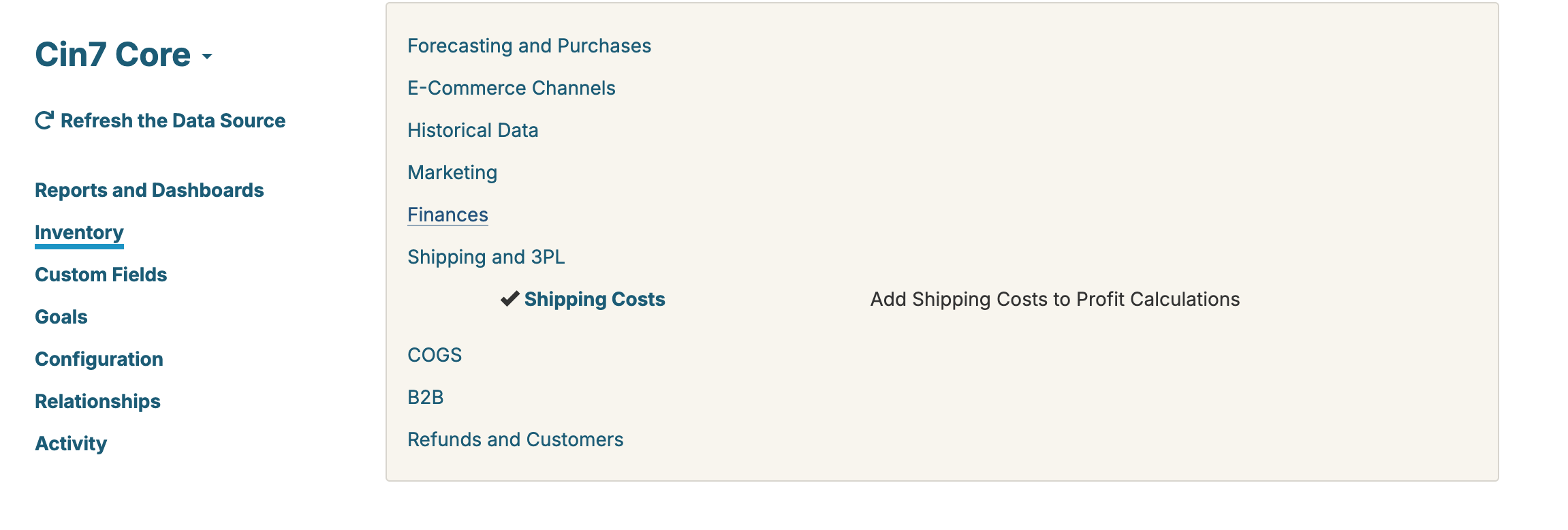
Once you integrate your shipping system or load in data by CSV/Excel, you can configure shipping cost to come into your inventory data source by going to Configuration -> Inventory -> Shipping:

Shipping Cost

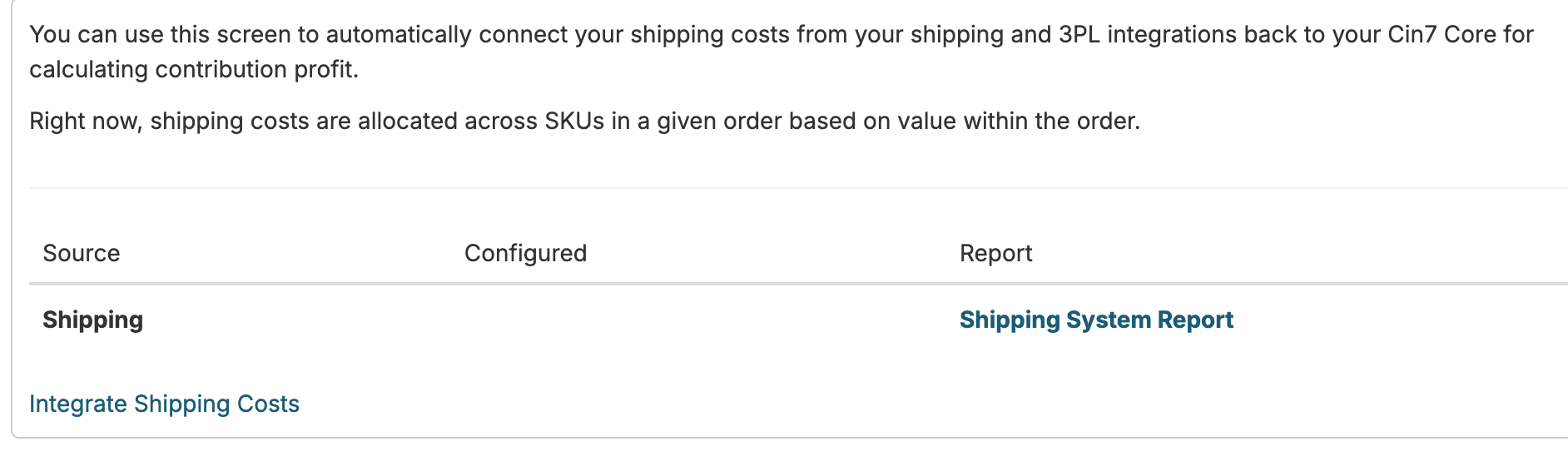
From this screen, you can see the status of your different shipping integrations and click on 'Integrate Shipping Costs' if necessary:

Shipping Cost

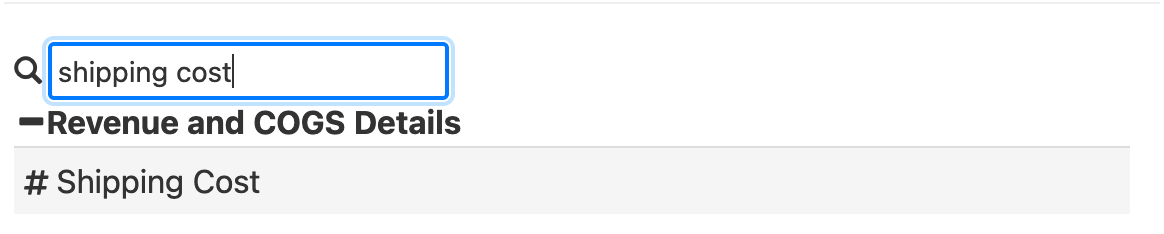
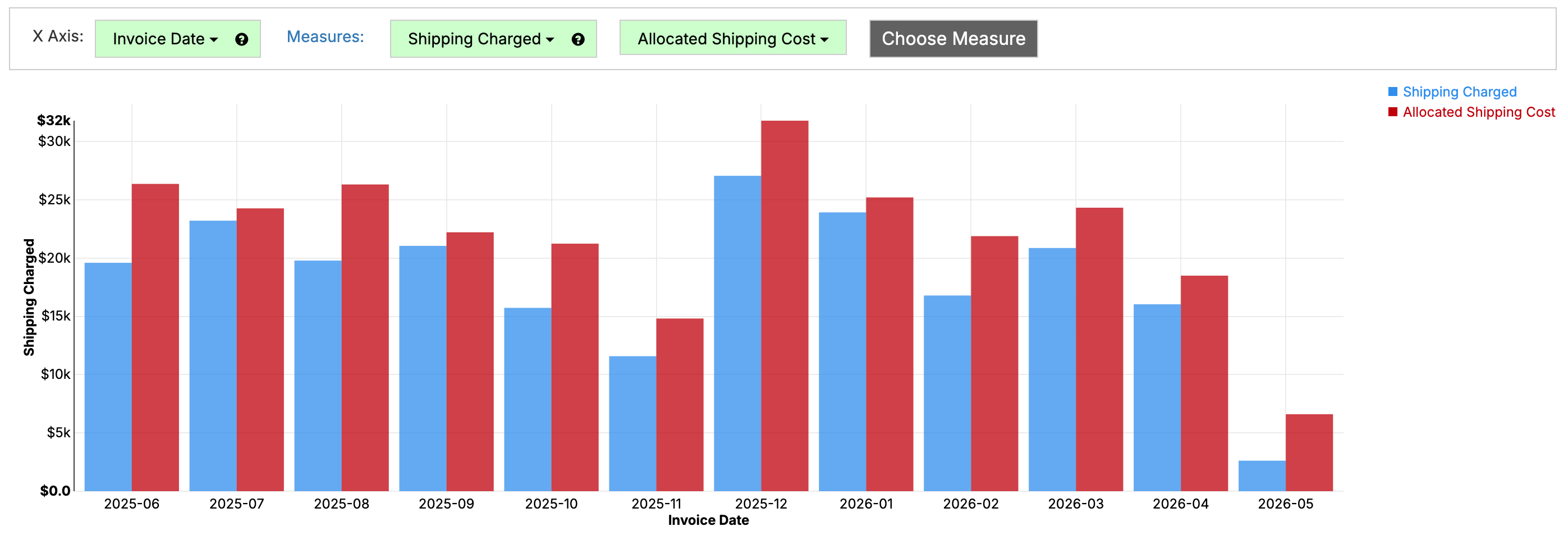
Once configured, shipping cost will come across into your inventory data source. This shipping cost will flow into the Shipping Cost field in the Cost Extension Fields folder of your data source, and you can create reports like the following showing shipping charged/shipping cost by month:

Shipping Cost
Shipping Cost

If your shipping data isn't coming through correctly here after the automatic setup, you can go into the 'External Shipping' report on your inventory data source. This report defines the mapping of shipping data to your orders.

Twitter Logo