

We've extended our COGS Analytics functionality to work on Katana and Order Time as well as Cin7 Core and Omni.
We've also added options to track and apply additional landed purchase order costs and to track and apply additional manufacturing costs. If you have purchase order fees or manufacturing costs that aren't tracked in your inventory system, you can use this to apply those fees and see how your COGS change as a result.
Since rolling out this functionality, we've helped customers with scenarios like:
We've added a connection to Google Ads and made a number of updates to help you track your marketing data in combination with your sales data. For example, you can:
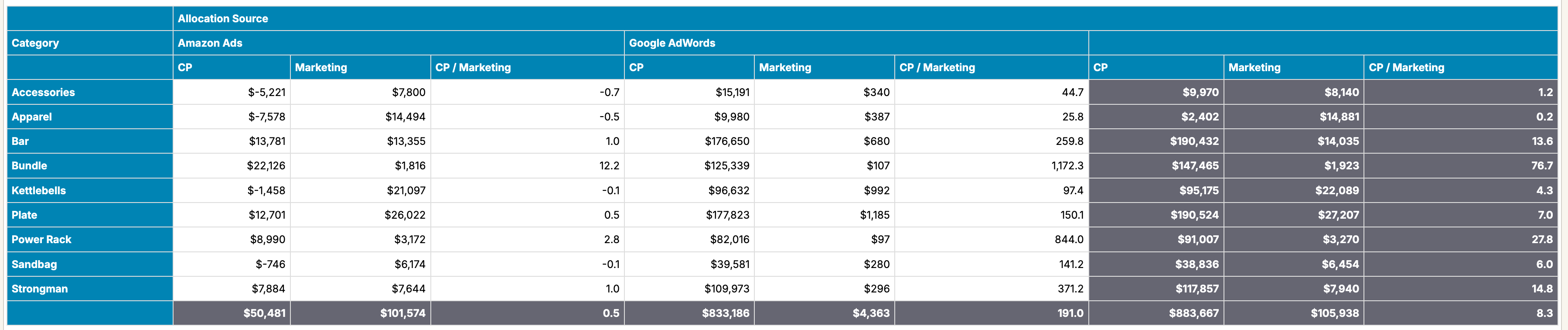
For example, in the report below, you can see your contribution profit by source, ad spend by source, and the ratio of contribution profit to ad spend:
To learn more, take a look at Marketing Spend.
We are now an approved Lightpeed integration partner! We've added a variety of updates to the Lightspeed prebuilt reports to help you quickly get going with Lightspeed X-Series reports. For more, see Lightspeed Prebuilt Templates.
We've added sales returns to the Katana data source.
We've made a large number of fixes and improvements to the Order Time prebuilt templates. We've also changed the initial load of data from Order Time to pull incrementally, which will help if you're connecting a large data source.
You can now easily add additional header information to your Excel and PDF exports such as the report name, included filters, and more. For more, see Exporting Reports.
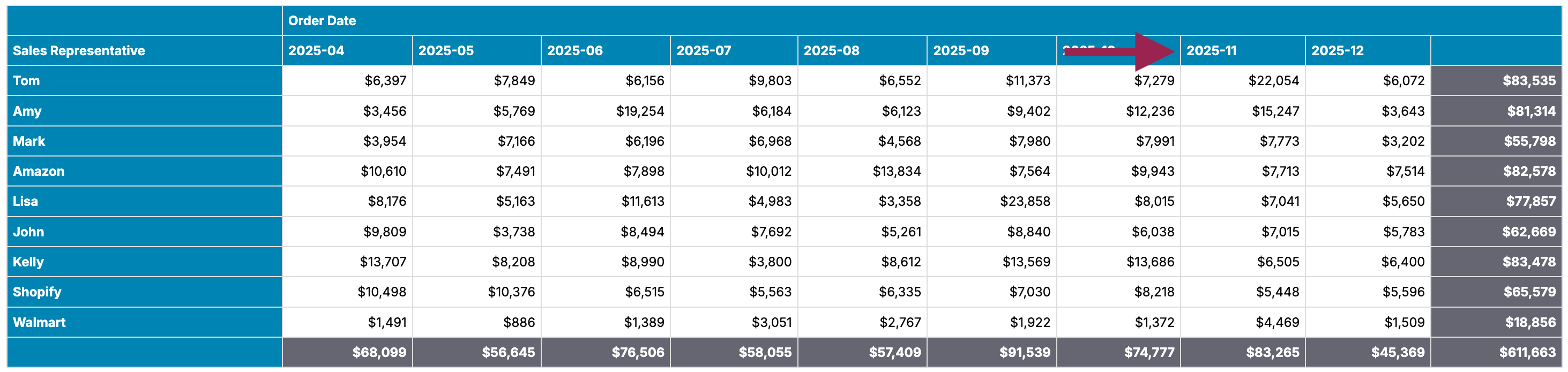
You can now enable interactive sorting on crosstab reports. With this setting, you can click on the header cells on your crosstab to sort. For example, in the below example, clicking on 2025-11 sorts as shown:
We've added documentation to help explain how you can customize commission statement template reports to meet your particular needs for commission statements at Commission Statements.
If you're using Easy Insight directly on your Shopify, Amazon, QuickBooks Online, Xero, or other non-inventory data sources, you can now load in templates to help with forecasting and other reports that need bills of materials (BOMs) to help identify the needed quantities of components that go into finished goods. For more, see Non-Inventory BOMs.
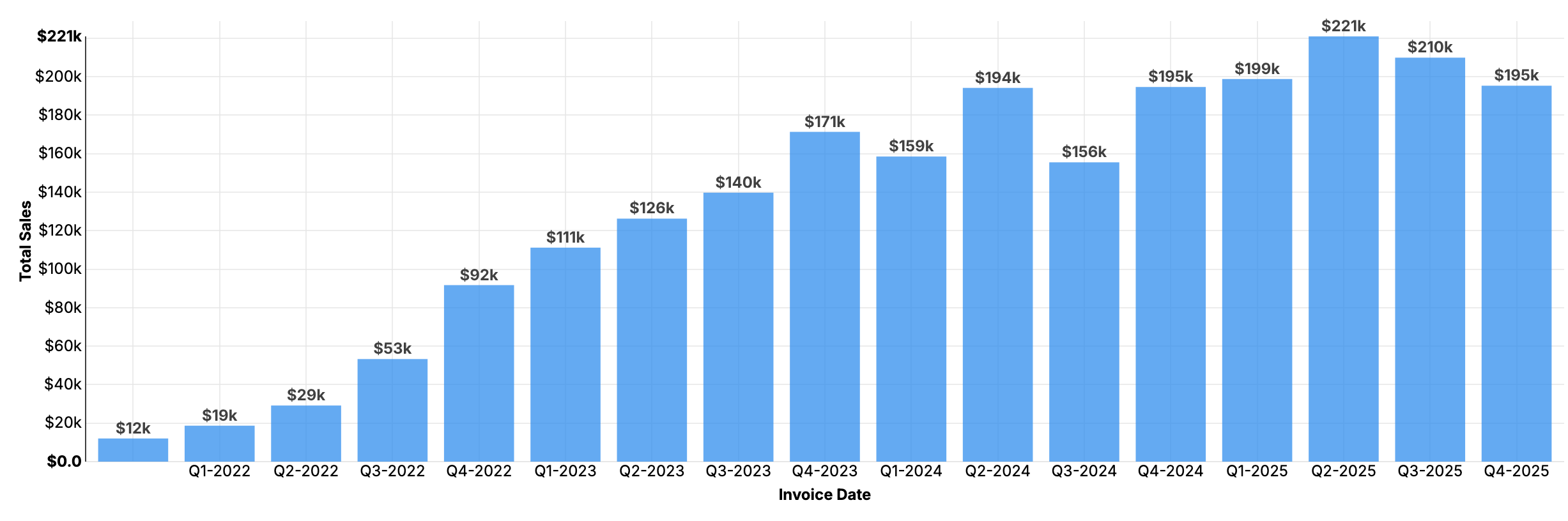
We've added two new account level settings that can be found under General Settings. With Rounded Currency enabled, charts will automatically show rounded currency values as in the below example, instead of you having to customize it per report:
The other new setting, Lazy Load Dashboards, will incrementally load sections of your dashboards as you access them. With this setting, the initial load of dashboards in your browser should be considerably faster. Both of these settings can be found under Account Settings -> General Account Settings.