

You can now generate first drafts of reports by giving a prompt. From the new AI menu in the report editor, you can put in prompts like:
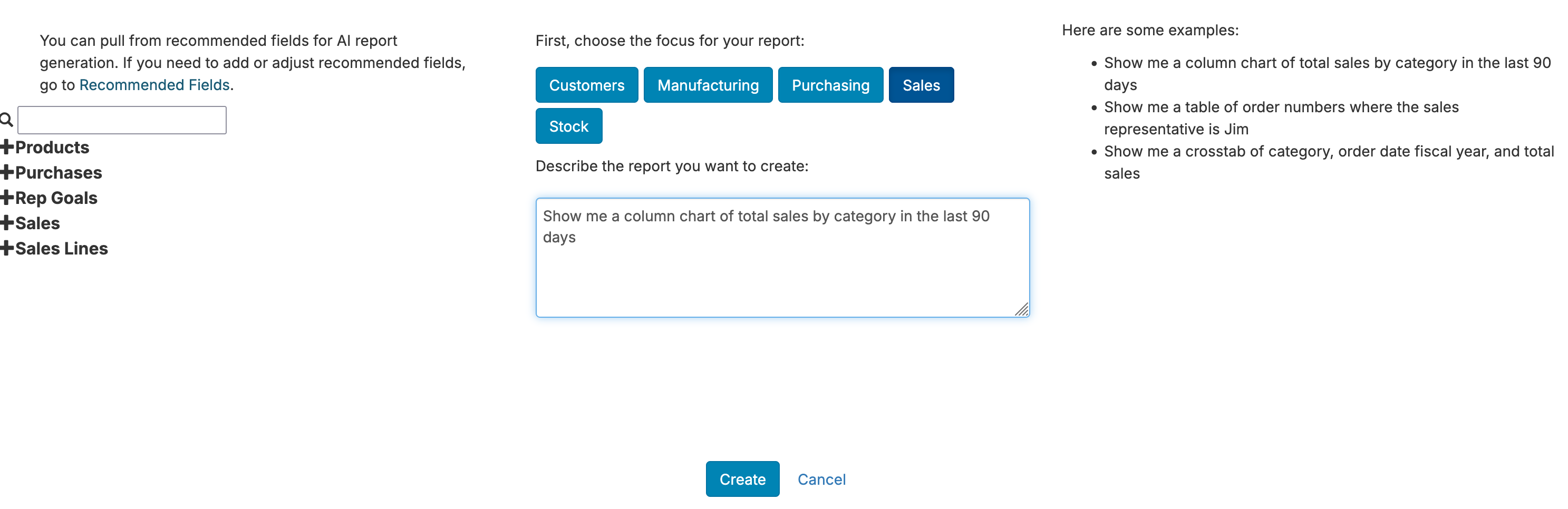
Once generated, you can adjust your report as normal in the editor. For more, see AI Report Creation.
We've updated the 'Inventory' configuration section for inventory management system connections such as Cin7, Katana, Order Time, and SOS Inventory:
With these changes, you can quickly work your way through making sure data is properly linked between your e-commerce, shipping and 3PL, financials, and your inventory management system. You can also quickly look through the B2B setup to navigate over to common setup tasks like setting goals, restricting rep access, and updating commission statement reports.
We've added links to documentation from a variety of pages to help you quickly answer questions around any pages.
We've added Leads for Pipedrive and Hubspot.