

Easy Insight Logo

Learn how to track and analyze your COGS and take advantage of forecasting improvements!

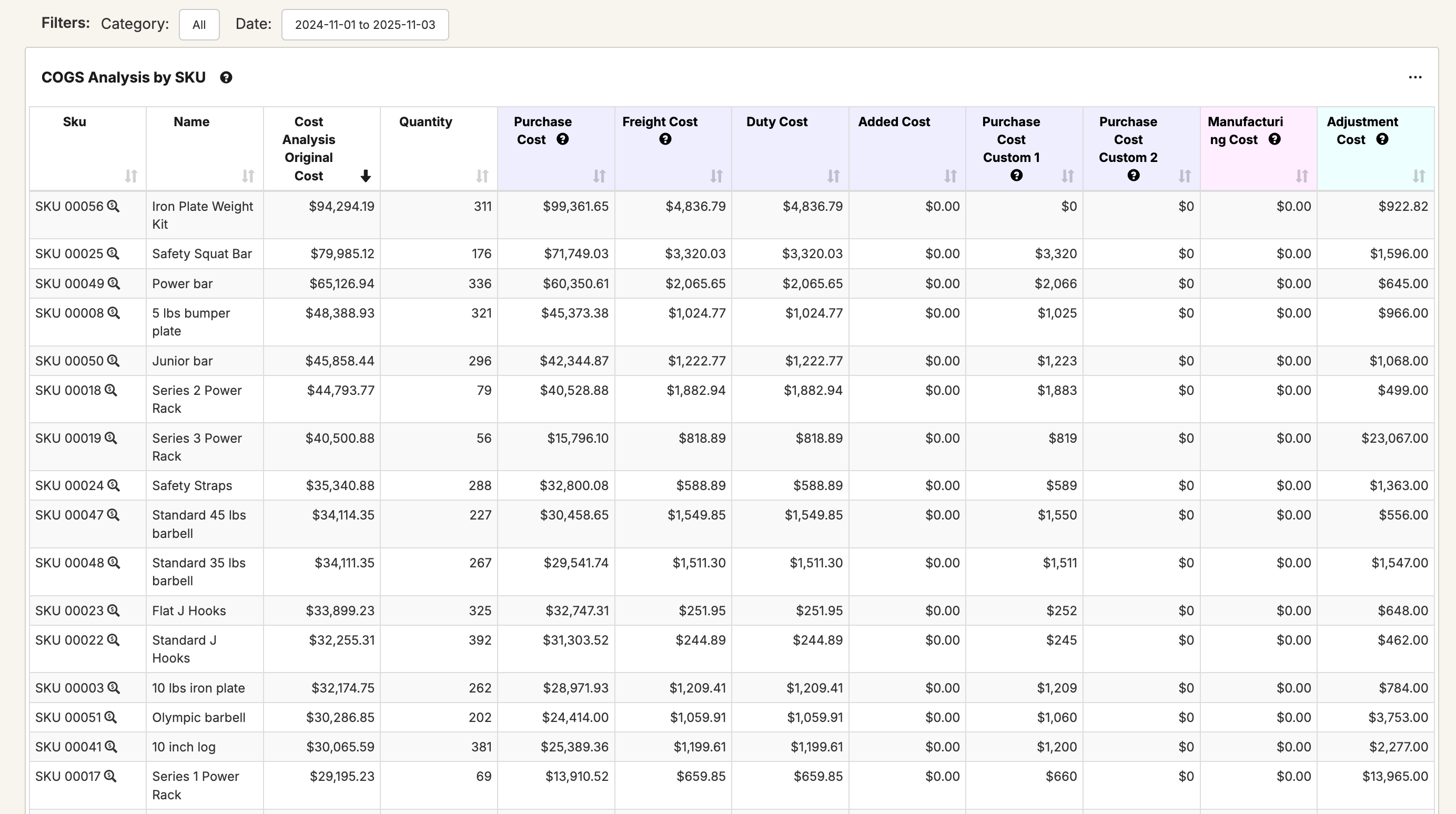
With our new COGS Analytics functionality, you can analyze your Cost of Goods Sold (COGS). When a product sells at a $20 cost, Easy Insight's COGS Analytics enables you to break the $20 down into:

  • $10 of base purchase cost from the supplier
  • $5 of freight cost
  • $4 of duties cost
  • $1 of packaging surcharge from the supplier

Using this functionality, you can identify how the different components of your inventory cost are affecting your margins. How are changes in duties affecting your bottom line? For your manufacturing, how much of your cost came from labor vs. materials? You can also use this functionality to help catch any potential problems in your inventory. When an order is showing $0 in COGS, was there an incorrectly entered purchase order or stock take that was the source of that value?
For more information on COGS Analytics, take a look at COGS Analytics.


We've reworked our forecasting reports for the following connections:

  • Amazon SellerCentral
  • Cin7 Core
  • Cin7 Omni
  • Descartes Finale
  • Inflow Inventory
  • Lightspeed
  • Luminous Inventory
  • Katana
  • OrderTime
  • Shopify
  • SOS Inventory
  • Xero

With these updates, all of these connections have the following forecasting options:
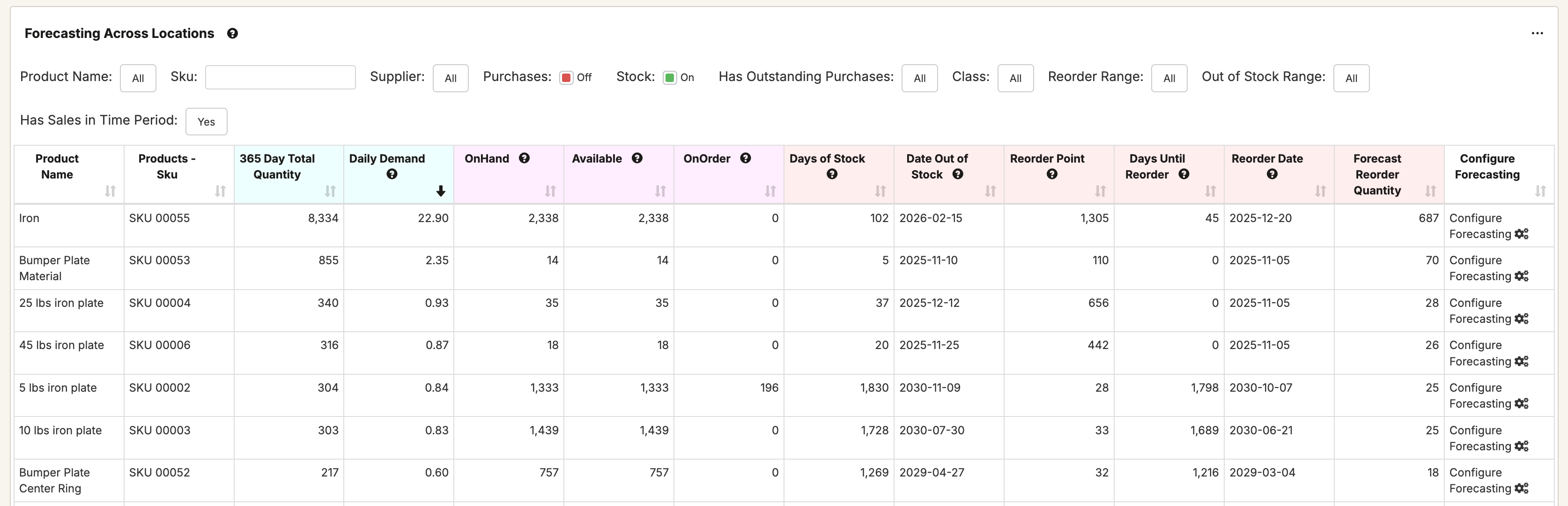
  • Choose up to three date ranges for demand velocity and calculate demand based on the average of those date ranges. Use the average of last 365 and last 90, last 60 and last 30, or whatever other range you want.
  • Display those three ranges in your forecasting reports.
  • Configure minimum days of stock, days of stock to reorder, safety stock, and lead time to calculate reorder point and reorder quantity.
  • Customize any of those settings at a per SKU level directly from your forecasting reports.
  • If the connection doesn't have a BOM concept (like Xero or Shopify), load in your own custom BOM data to calculate demand for components in addition to sold products.
  • Do you already have reorder points or safety stock quantities configured per SKU in your inventory tool? Optionally pull reorder points, safety stock quantities, and lead times directly from fields in your data source.
  • Choose whether to plan for components at a central manufacturing location or at the sale location--if you assemble your products at the point of sale, you can plan for that scenario.
  • Need to forecast your Amazon FBA sales at the location(s) from where you transfer stock to Amazon? Allocate those sales quantities for forecasting to the transfer location instead of Amazon.
  • Have certain large B2B orders you need to exclude to keep them from skewing your forecast? You can exclude these orders. You can also exclude Black Friday or other large sale days from your forecasting to keep them triggering overstocked inventory.

For more information, see Forecasting in Easy Insight.

x
Twitter Logo